
 LiveFreeNo Plex Pass needed
Fatal FM
Formerly Plex Amp.
A music player for Plex that anyone can use. Sign in with your own Plex account and stream your music right from your phone, from my server, your own, or as many servers as you want at once.
A look inside
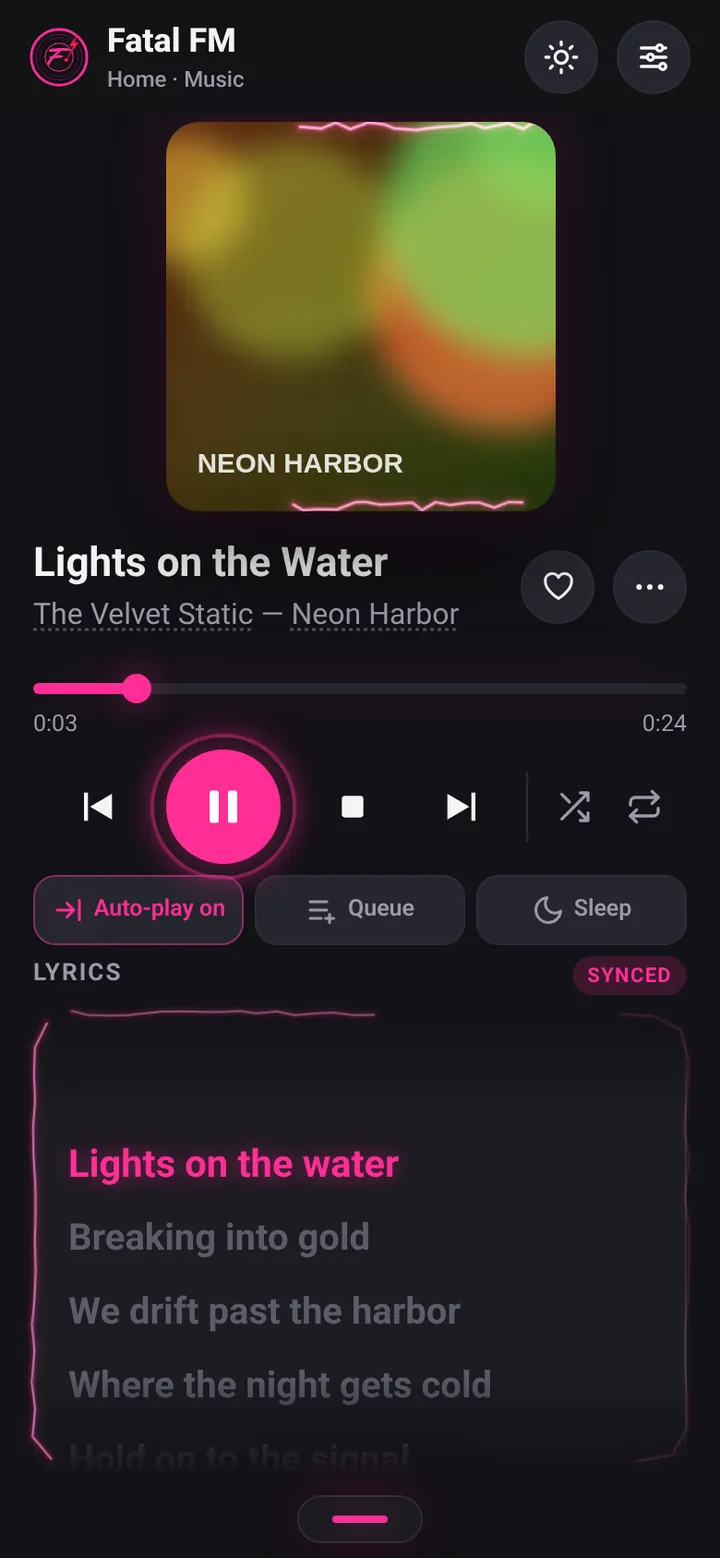
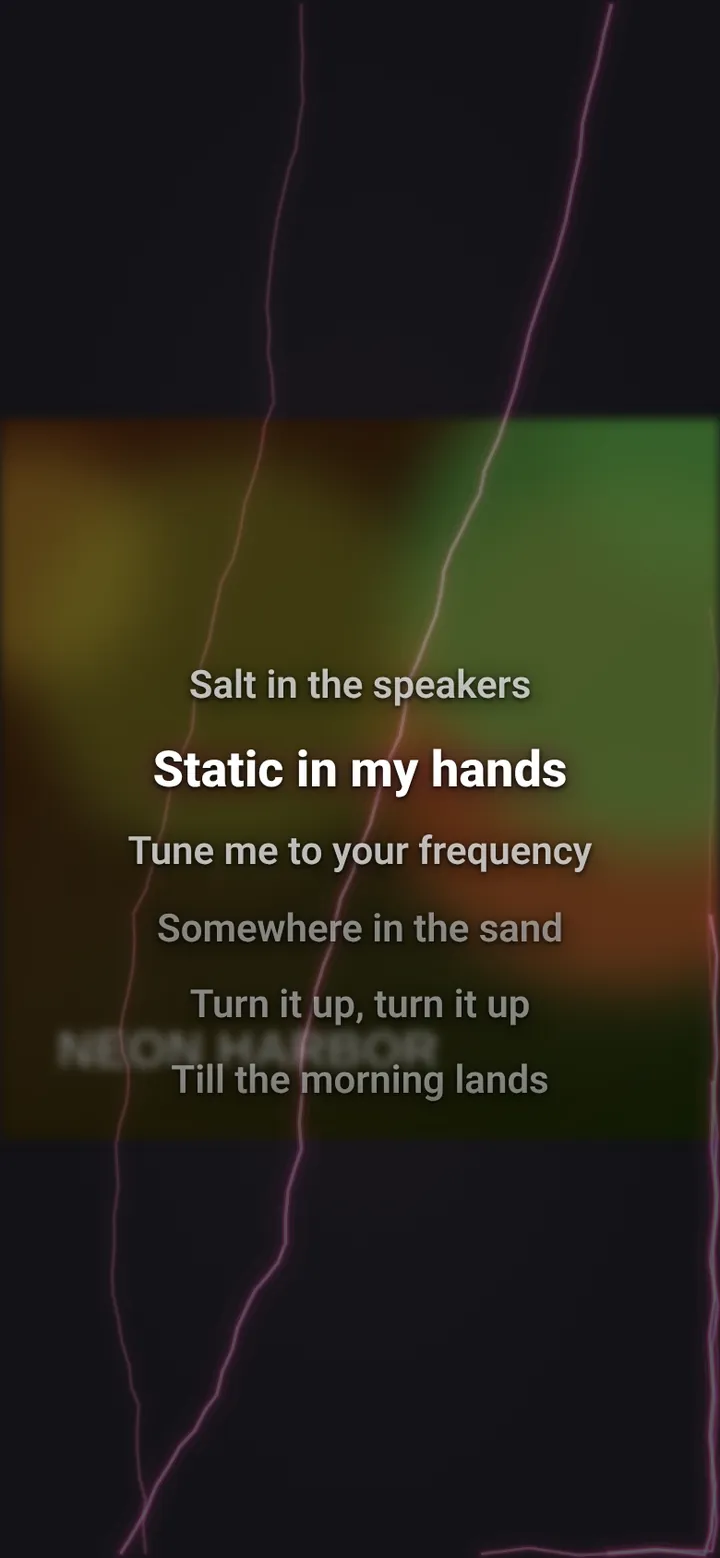
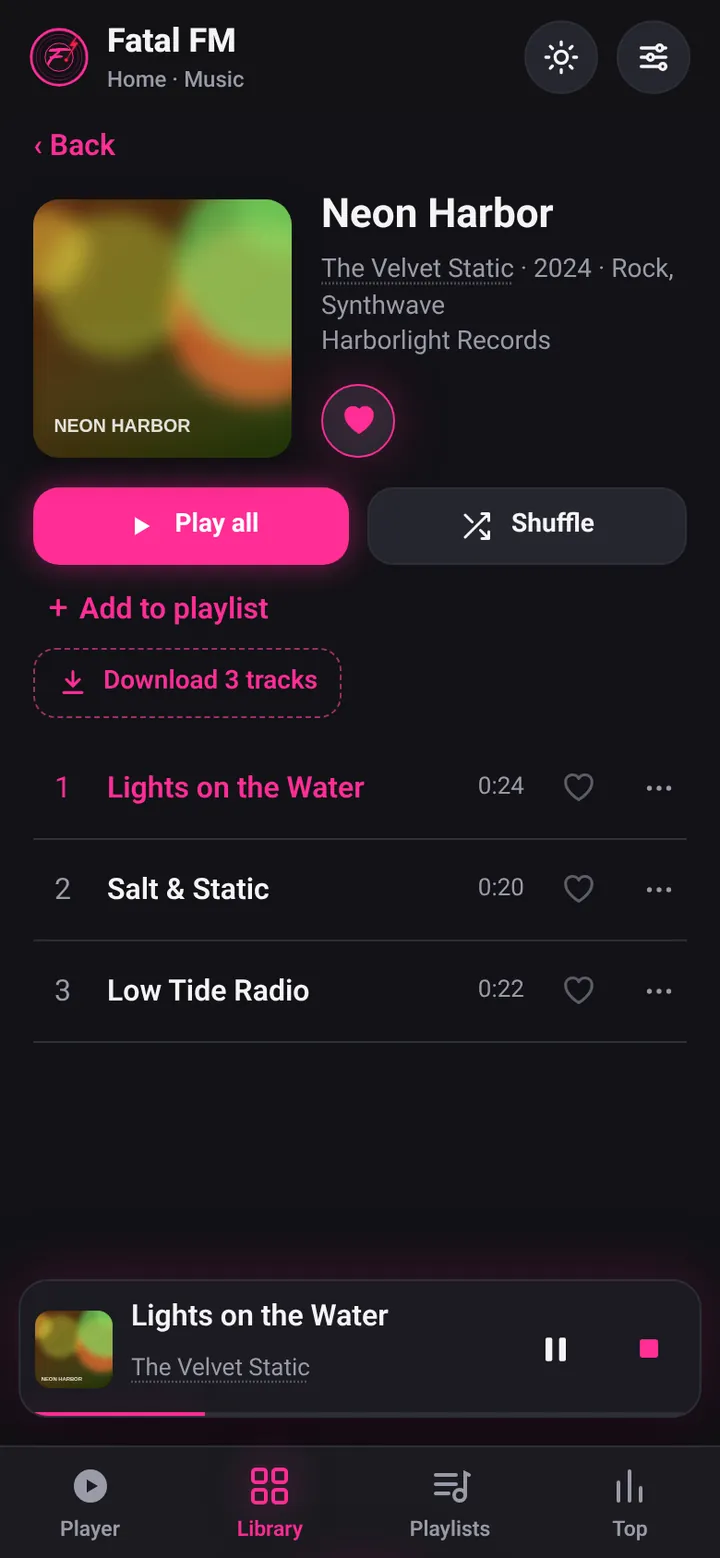
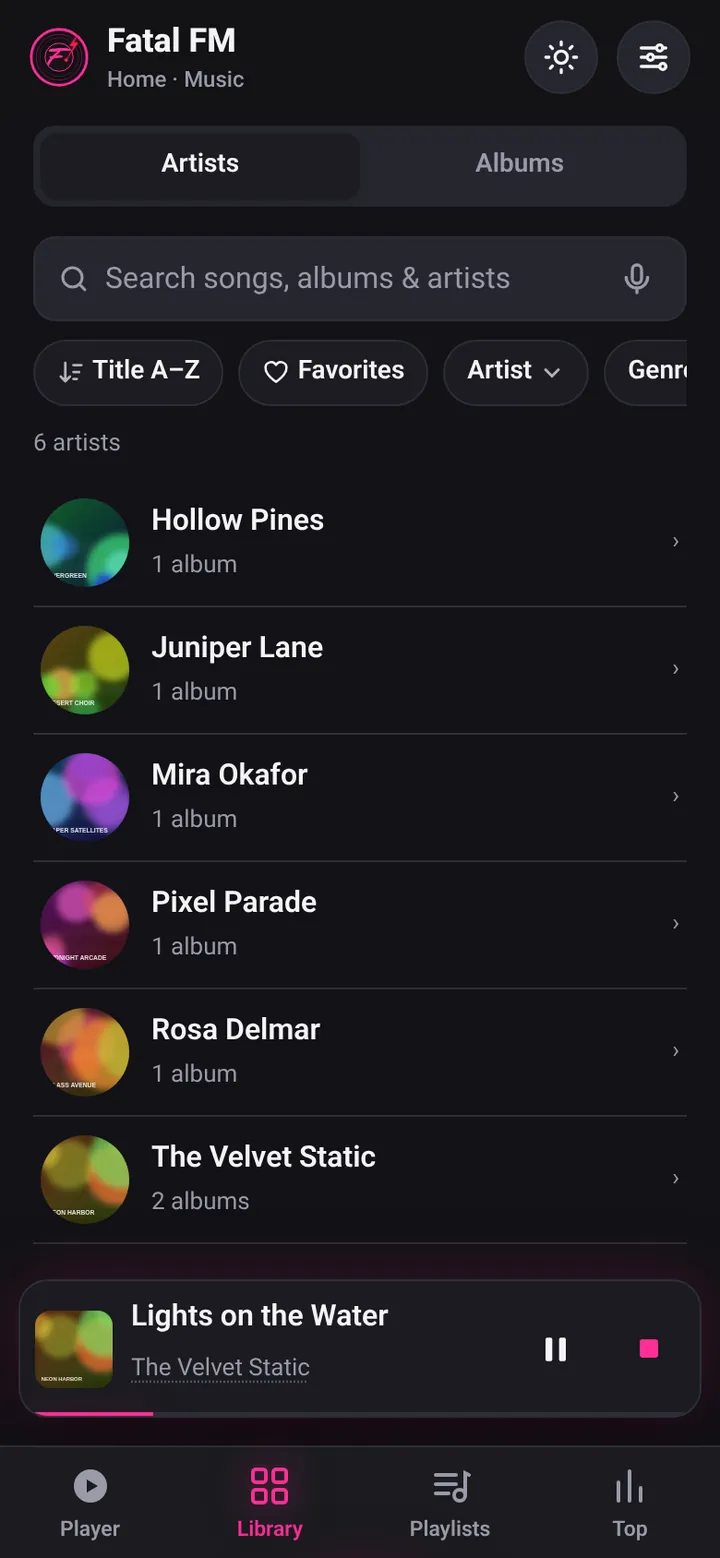
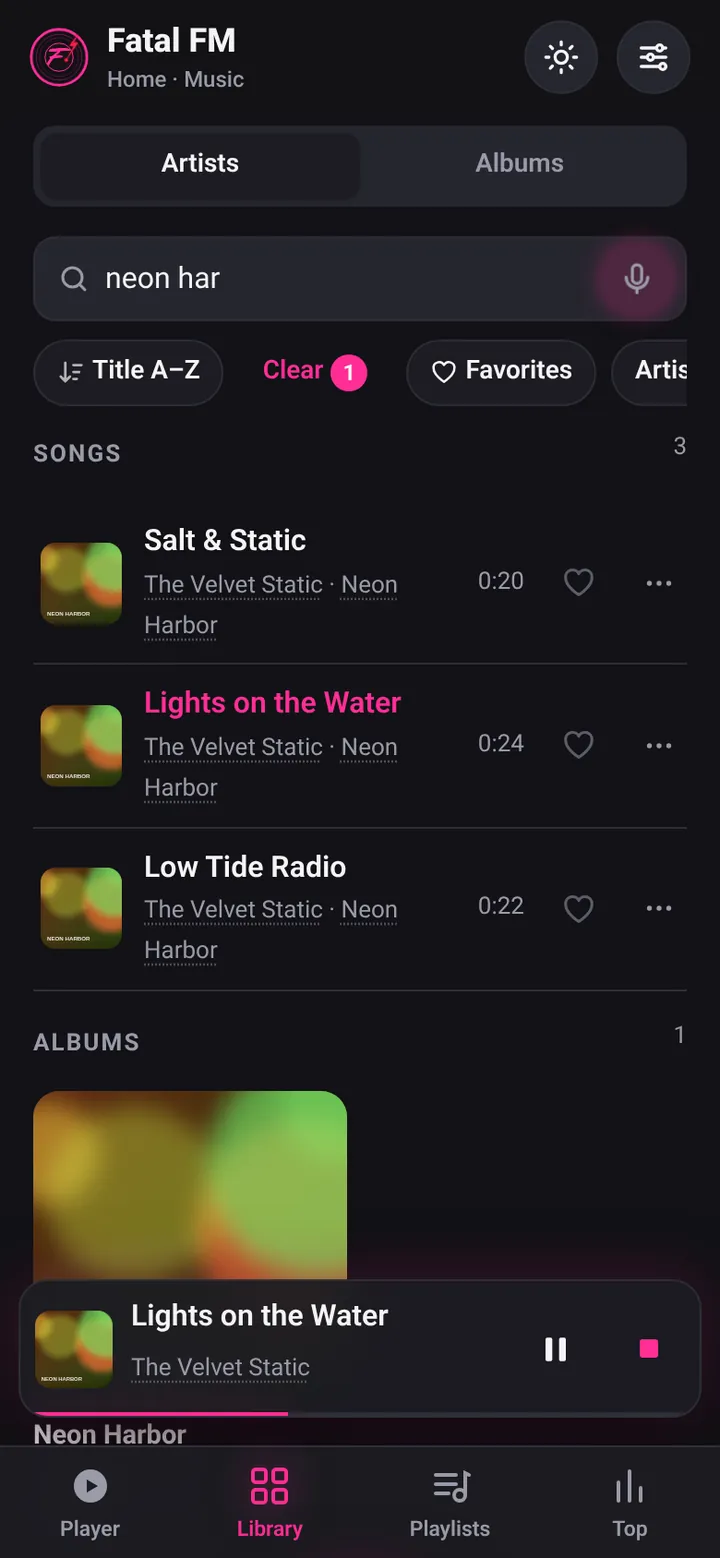
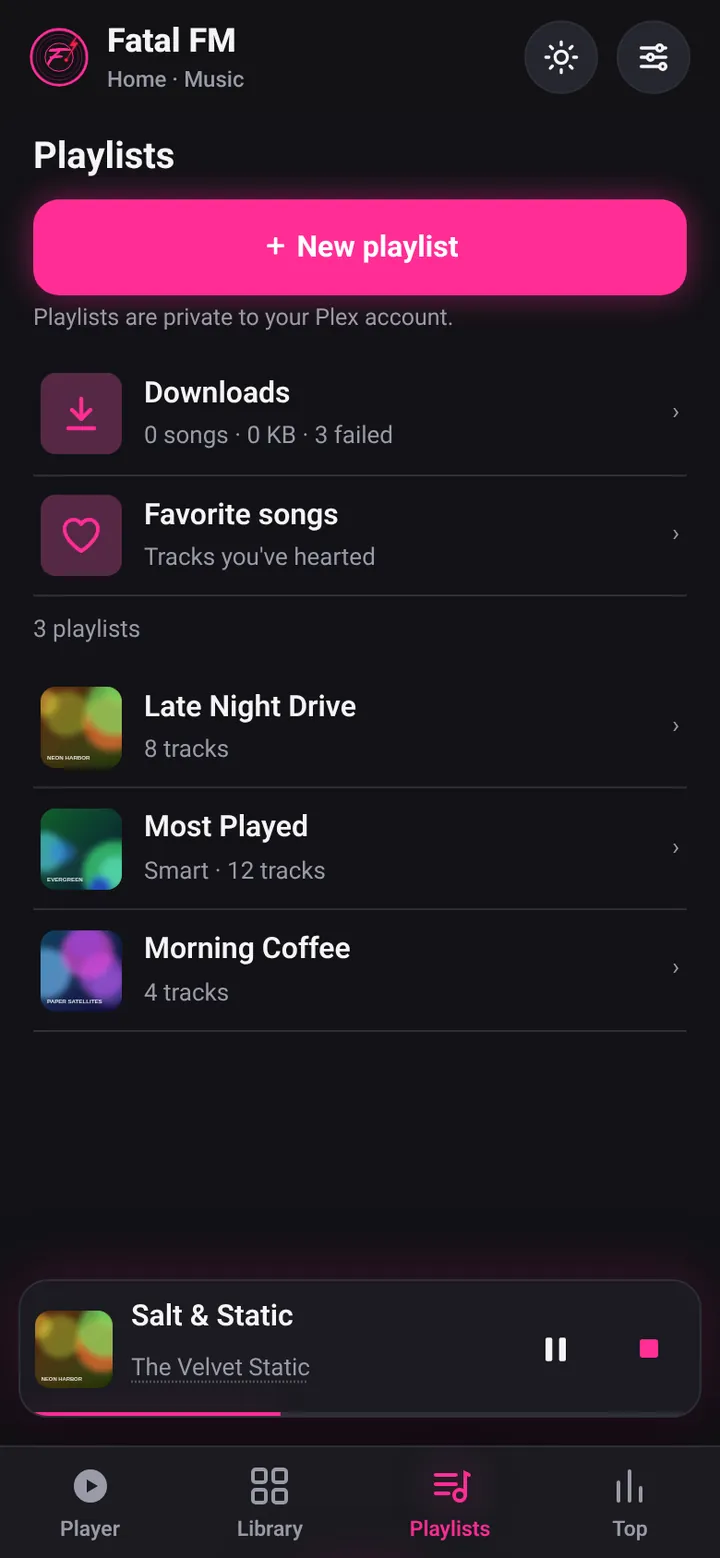
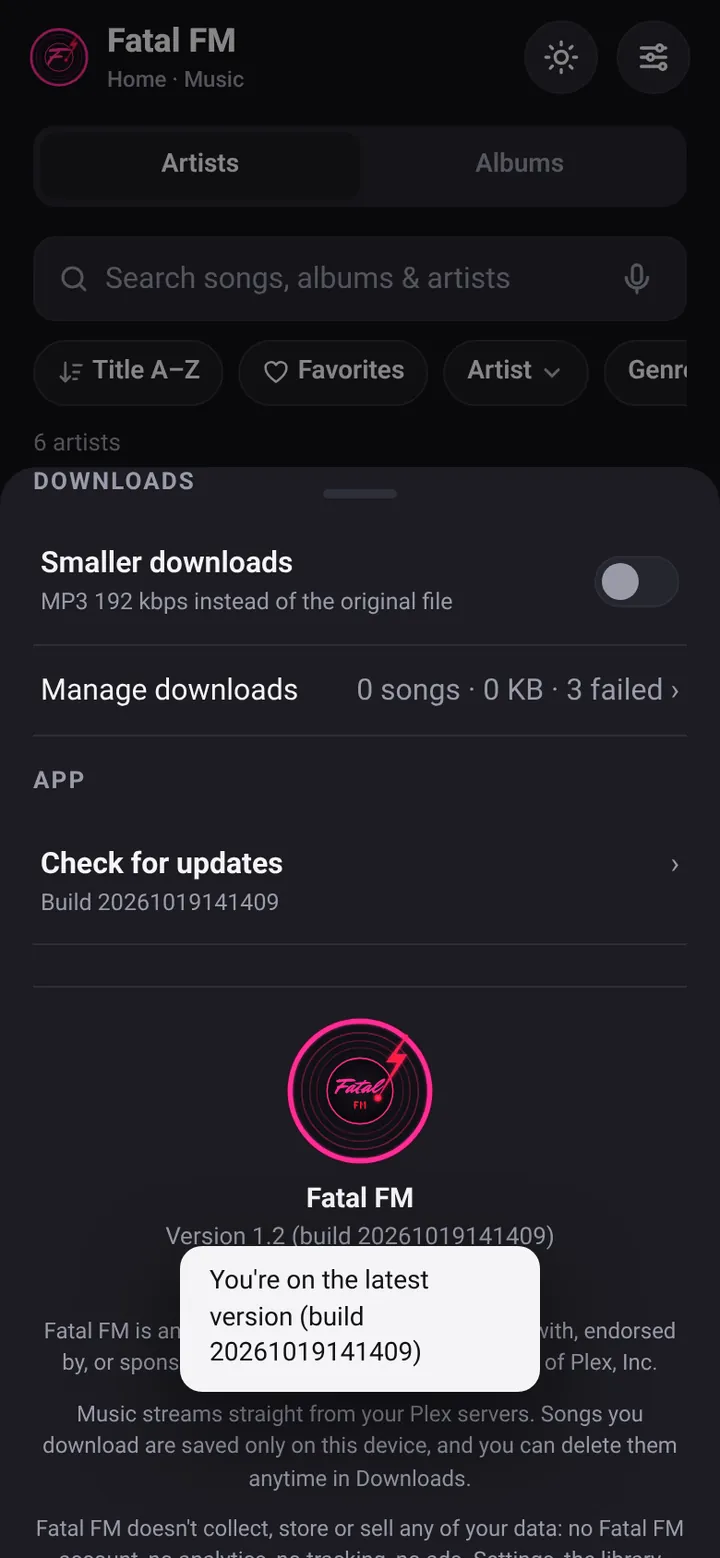
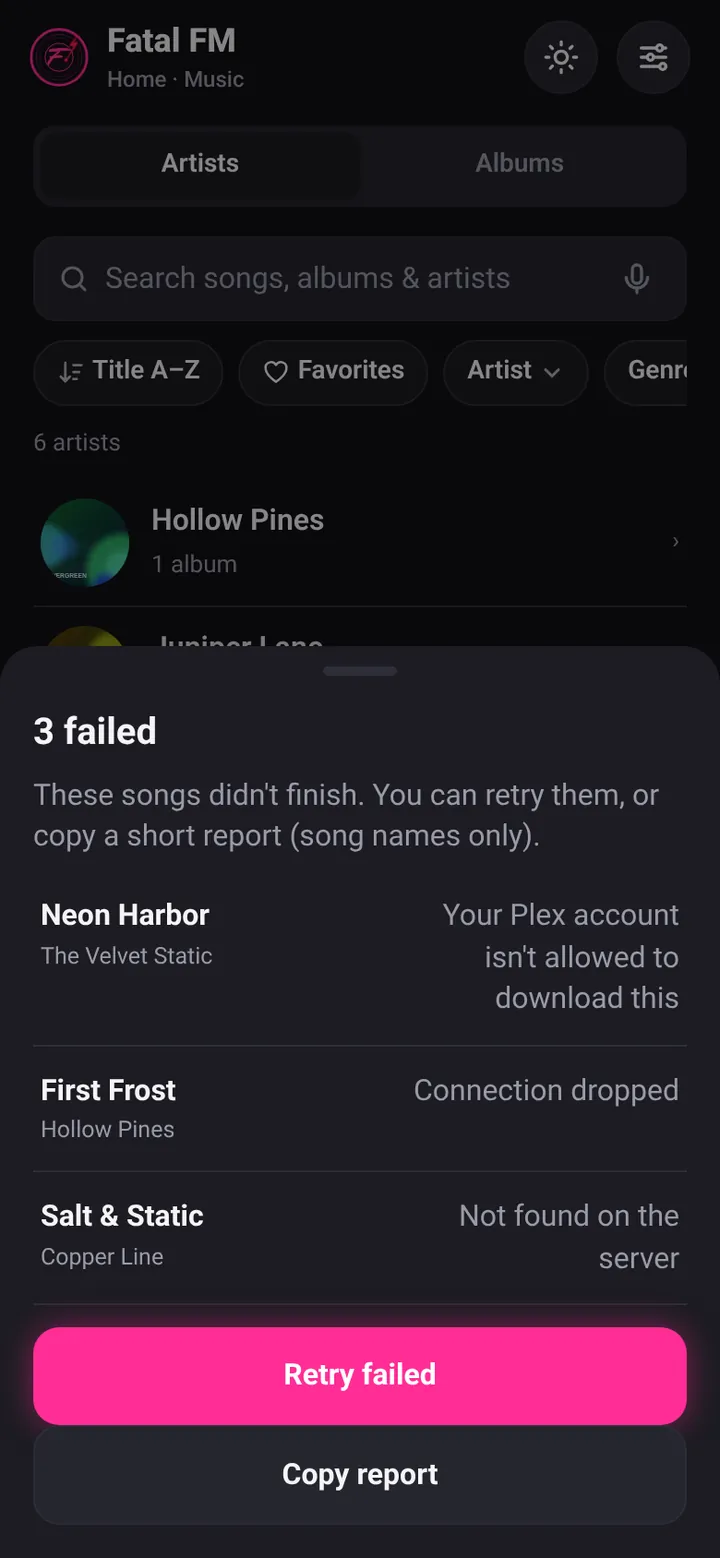
Screenshots show example data. Swipe or scroll sideways for more, tap one to see it big.
It's electric
The lightning is part of the Electric art effect setting. Here's what it looks like on a phone.
-
⚡ Play energizes it
Press Play and a lightning bolt shoots into the album art. It recharges about every 20 seconds while music plays, and the lightning flows around the lyrics box too.
-
⏹️ Stop pulls it back
Press Stop and the electricity gets pulled out of the art and the lyrics box, back into the Stop button, and it all goes dark.
-
🖼️ Full-screen lyrics
Tap the art to go full screen, with the synced lyrics scrolling right on top. The art dims softly so the words pop. Tap again to shrink it back.
-
🎤 Voice search
Tap the mic and say what you want. Your words fill the search box as you talk and the results show up right away.
Real recordings from the app at real speed, with example data. Swipe sideways for more.
Some of the cool stuff
- ⏹️ A real Stop buttonNot just pause. With the lightning on, Stop pulls the electricity back into the button and it goes dark.
- 🎤 Lyrics that scrollThey move along with the song.
- 🖼️ Full-screen art with lyricsTap the album art to fill the screen, with the synced lyrics scrolling on top.
- 🖼️ Missing album artFilled in automatically.
- 📚 Browse your wayAlbums and artists, sort and filter, plus Top 10 by genre.
- 📝 Playlists and queueMake and edit playlists, favorite songs, build your queue, shuffle and repeat.
- 😴 Sleep timerFades out and stops.
- 🔀 Crossfade and volume levelingBoth in Settings under Playback.
- 📺 CastTo your TV or speakers (in Chrome).
- ⏯️ ResumePicks up right where you left off.
- 📥 OfflineDownload music and play it offline.
- ⚡ LightningPlay shoots a bolt into the album art and energizes it, recharging about every 20 seconds, with lightning flowing around the lyrics box. Part of the Electric art effect setting.
- 👆 Tap to jumpTap the artist or album on Now Playing (or names across the app) to go straight to it. Tap a long title to see it in full.
- 🔄 Updates itselfSettings → Check for updates. If music is playing, it waits and shows a New version ready banner with Restart.
- 🌗 Dark and light modeYour pick.
- 🎤 Voice searchTap the mic and say a song, artist or album.
- 🌐 All your servers at oncePlay from one server or all of them together, with duplicates merged.
- 🔒 No ads, no trackingAnd no Plex Pass. Just sign in with your Plex account.
Fresh blood
New Latest update
- ⚡ LightningPress Play and a bolt shoots into the album art and energizes it, recharging about every 20 seconds while music plays. Lightning also flows around the lyrics box (a soft glow when a song has no lyrics). Press Stop and the electricity is pulled back into the Stop button and goes dark. It's part of the Electric art effect setting. See it move.
- 🖼️ Full-screen art with lyricsTap the album art to fill the screen. The art dims softly and the synced lyrics scroll right on top.
- 🔄 Check for updatesNew in Settings. The app updates itself, and if music is playing it shows a New version ready banner with Restart instead of cutting off your song.
- 👆 Tap to jumpTap the artist or album on Now Playing, or names across the app, to go straight there. Tap a long title to see the whole thing.
- ✋ No accidental pop-upsNo more selecting text by accident or Chrome search pop-ups while you tap around.
- 🔧 Small fixSongs on an album page no longer link back to the same album.
Earlier in October
- 🎤 Voice searchTap the mic in the Library search box and say a song, artist or album. Words fill in as you speak and results show right away; the box glows neon pink while listening. Works in Chrome on Android and Safari on iPhone (mic button only where supported).
- 📥 Downloads that bounce backFailed songs list their names with a plain reason, plus Retry failed and Copy report. Dropped connections retry automatically, screen stays awake while downloading, and full storage pauses with a clear message instead of failing.
- 📻 Now Fatal FMSame app, new name, new icon and a new address: fatal-fm.pages.dev. The old plex-amp.pages.dev link takes you there. If you added the old one to your home screen, add Fatal FM again from the new address.
- 💿 Neon CD coversAlbums with no artwork get a glowing neon CD cover, and there's a new loading spinner to match.
- 🎛️ Pick your serversCheck exactly which servers to play from, music-only servers included. Settings → Servers has a Rescan servers button.
- ⬇️ Easier pop-upsSheets like Queue and Settings close by swiping down, tapping outside, or pressing Back.
- ➕ Make playlistsCreate your own playlists right in the app. They're private to your Plex account.
- 🔤 Playlist sortingSort an open playlist by Artist, Album, Title or its own order. Artist comes first.
- ↩️ Back to where you wereThe artist list remembers where you scrolled.
- 🔎 Search by song titleType a song's name to find it fast.
- 🖥️ Full screen settingTurn full screen on or off in Settings.
- 🎤 Lyrics stripSynced lyrics in a strip on the player.
- ❤️ Favorites offlineYour favorites work even without a connection.
- 📥 Downloads everywhereYour downloaded songs show up no matter which servers you're viewing.
Earlier updates
- 🌐 All servers at oncePick "All servers" and your library, playlists and favorites from every server show up together. You can still switch to just one.
- 🔁 No doublesIf the same album is on more than one server, it only shows once, with tags showing where it lives.
- 🔎 SearchFind songs, albums and artists from the search bar in the Library.
- 📱 Full screen (Android)Turn it on in Settings under Display to hide your phone's top and bottom bars.
- ⏯️ Resume where you left offReopen the app and pick up the same song at the same spot.
- 😴 Sleep timerTap Sleep in the player and choose 5 to 60 minutes or the end of the song.
- 🎤 Missing lyrics and artFilled in from free public sources only when Plex has none, and labeled with where they came from.
- 🎸 Artist pagesPlay and Shuffle buttons, top 10 songs with Show more, then the albums.
- 📝 PlaylistsAdd songs or albums from the ⋯ menu, make new playlists, rename, reorder, remove songs or delete playlists.
- 🔀 Shuffle and play buttonShuffle next to repeat, and an animated play button.
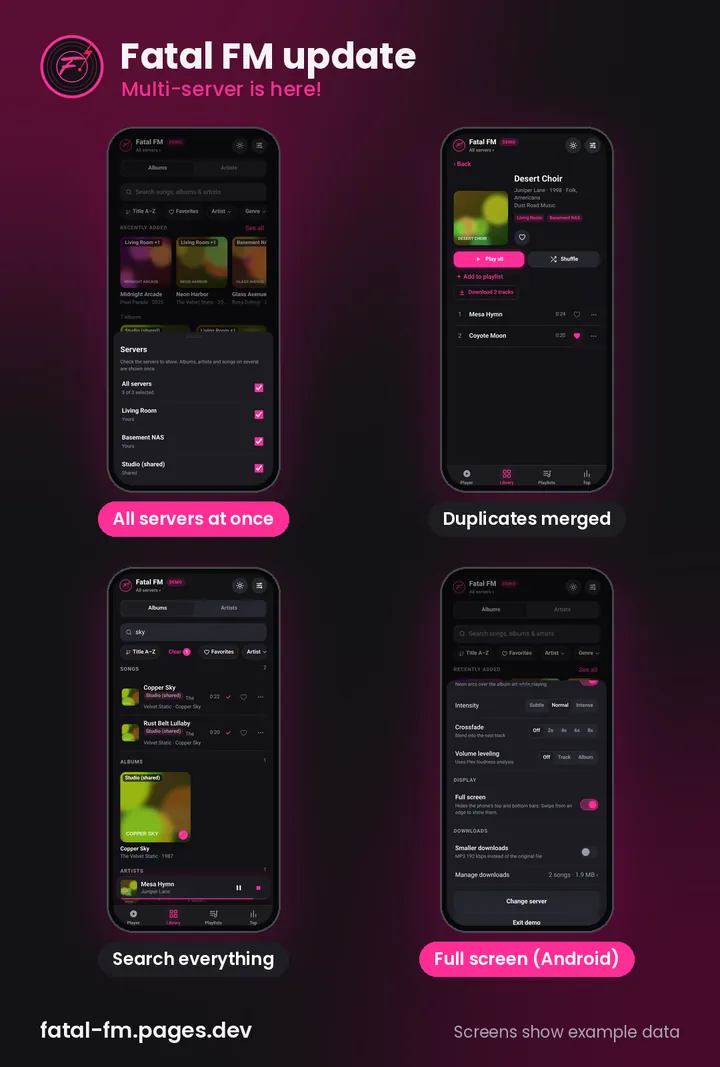
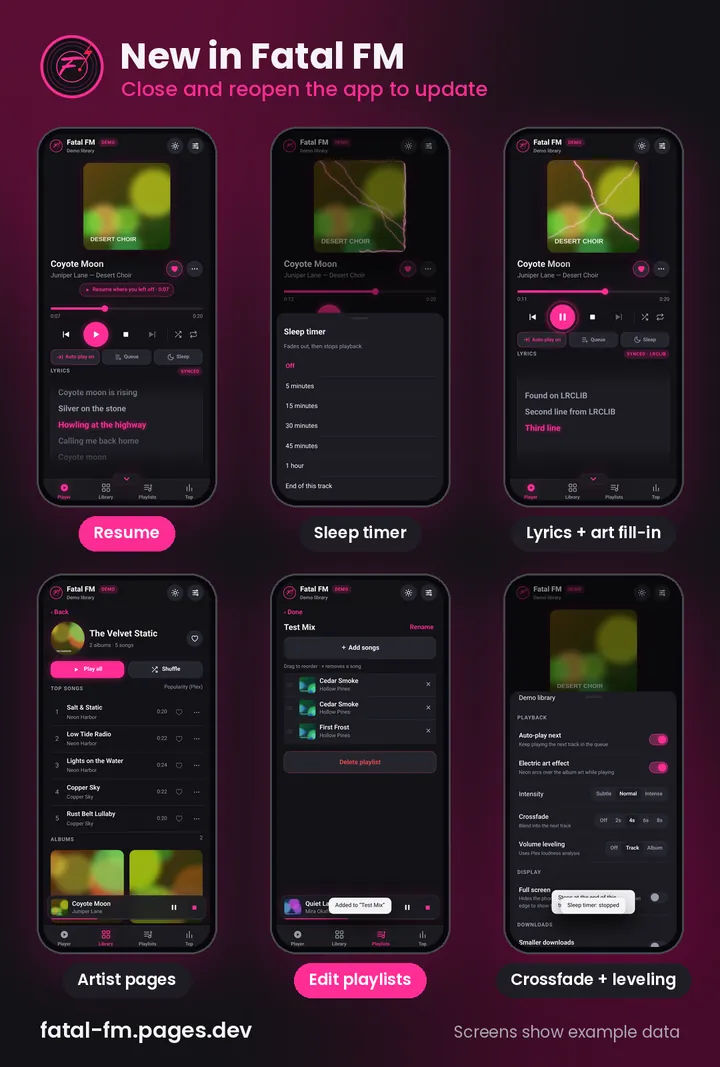
To get the latest, open Settings and tap Check for updates. Screenshots show example data.
What's next
Coming soon 📻 Radio
- 📻 Stations built from your libraryA new Radio tab builds stations from your own Plex library on its own: by genre (only genres with enough songs to make a real station), by decade, like an 80s station, and Top Songs.
- 🔀 Nonstop shuffleIt keeps playing, like a real station.
- 🎙️ DJ chatterShort radio chatter between songs now and then, made for each station: "You're listening to Fatal FM 80s."
- 🤫 Only on RadioNo chatter when you play albums, songs or playlists straight from your library.
- 🕰️ Maybe laterEra stations that favor the hits from their time. Not promised yet.
For anyone who signs in with their Plex account. No date yet: coming soon.
More on the way. Got an idea? Email me.
No app store needed
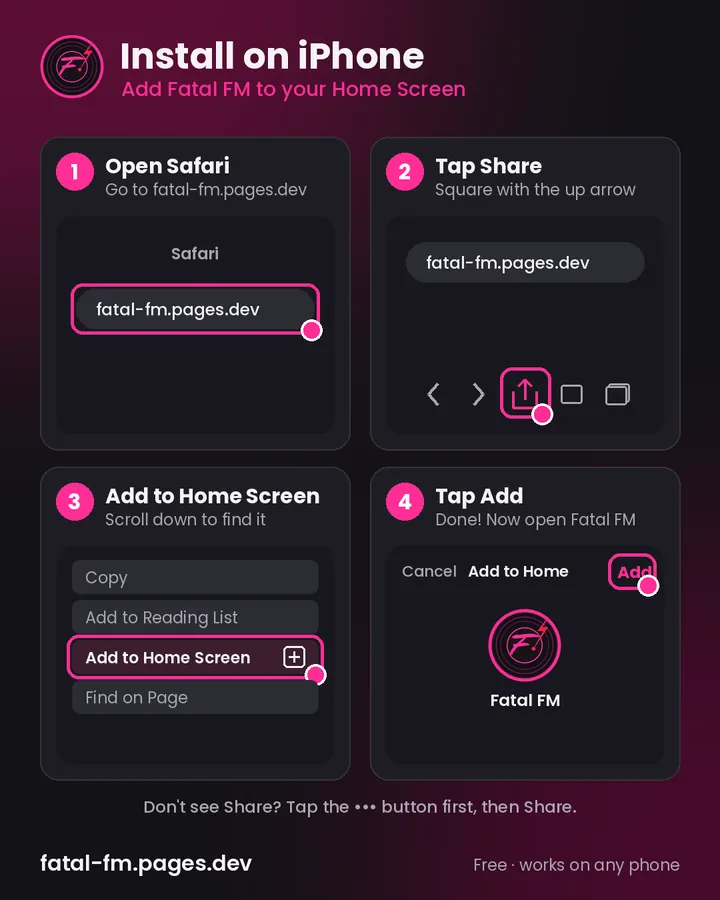
iPhone
- Open Safari and go to fatal-fm.pages.dev
- Tap Share
- Tap Add to Home Screen
- Tap Add
- Open it and tap Sign in with Plex
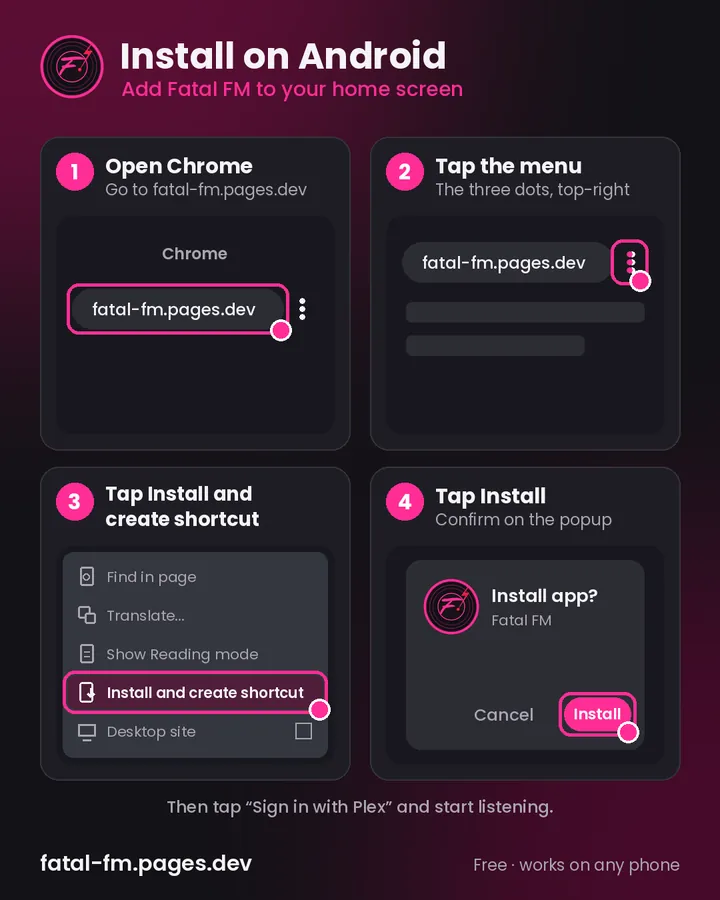
Android
- Open Chrome and go to fatal-fm.pages.dev
- Tap the ⋮ menu
- Tap Install and create shortcut
- Tap Install
- Open it and tap Sign in with Plex
Questions from the crypt
Is this made by Plex?
No. Fatal FM is an independent app. It is not affiliated with, endorsed by, or sponsored by Plex, Inc. Plex is a trademark of Plex, Inc.
Do I need a Plex Pass?
No. Just sign in with your own Plex account.
Do I need my own Plex server?
No. If you have your own Plex server, or access to mine, you can stream your music right from your phone.
Can I use more than one server?
Yes. Connect as many servers as you want and play from all of them at once. Tap the server name at the top to choose exactly which ones, or check All servers.
Does voice search work on my phone?
Yes. Tap the mic in the Library search box and say a song, artist or album. Works in Chrome on Android and Safari on iPhone. Your phone asks for mic permission once; the mic button only shows where voice search is supported.
Does it cost anything?
It's free to use. If you'd like to help cover what it costs to build, tap Donate in the app (open Settings and scroll to the bottom) or use PayPal. Never required, always appreciated ❤️
Are there ads or tracking?
No ads and no tracking.
Can I listen offline?
Yes. Download music and play it offline. If a song fails, you'll see its name and a plain reason, with Retry failed and Copy report. Dropped connections retry on their own, your screen stays awake while downloading, and if storage fills up it pauses with a clear message instead of failing.
How do I get the newest features?
Open Settings and tap Check for updates. The app updates itself. If music is playing, it won't interrupt you: a New version ready banner shows up with a Restart button for when you're ready.
How do I see the lyrics bigger?
Tap the album art on Now Playing. It fills the screen with the synced lyrics scrolling on top. Tap again to shrink it back.
Can I suggest a feature?
Yes, please. I add new features as I come up with them, so send me your ideas.

Ready to listen?
Open it in your browser, add it to your home screen, and sign in with Plex.
Open Fatal FM ↗ ♥ Donate ← All apps